
Webhook Deliveries
The Deliveries view is the operational dashboard for webhook traffic. For each endpoint you've registered, you can drill in and see every attempt we've made to deliver an event, the response we got, and a button to replay anything that failed.
Open it from the Webhook Endpoints page — click Deliveries on any endpoint row.
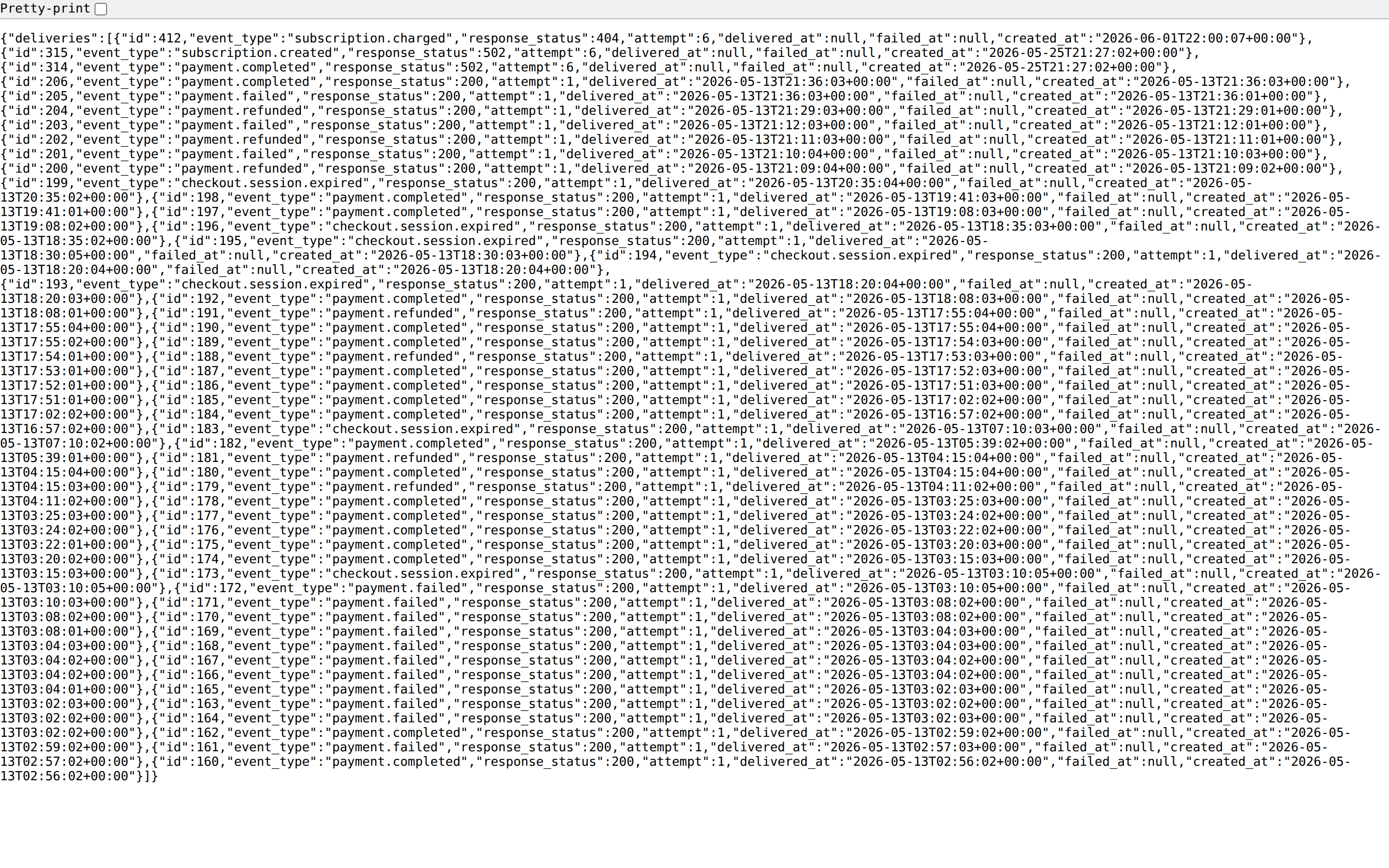
What the list shows
The 50 most recent deliveries for the endpoint, in reverse-chronological order. Columns:
- Event type — e.g.
payment.completed - Response status — HTTP status code your endpoint returned, or empty if the request never landed (connection refused, timeout, DNS failure)
- Attempt —
1for first try,2+ for retries - Delivered at — timestamp of the successful attempt, or empty
- Failed at — timestamp of the last failed attempt, or empty
- Created at — when we first tried
Status meanings
- Delivered — we got a
2xxfrom your endpoint within the timeout.delivered_atis populated. - Failed — every retry has been exhausted (see retry schedule below) and the final response was non-
2xxor no response at all. - Pending — queued for delivery or waiting for the next retry. Sits between attempts.
Retry behaviour
A delivery is retried with exponential backoff up to several attempts over roughly 72 hours. Any 2xx response stops the retries. After the final attempt, the delivery is marked failed and surfaced here.
Idempotency
Each delivery carries a stable event_id. If a retry succeeds after the first delivery sneaked through, your endpoint will see the same event_id twice — design your handler to be idempotent on it.
Manual replay
Click Replay on any row to immediately queue a fresh delivery of the same event payload to the same endpoint with a brand-new attempt counter. This is what you want after fixing a bug on your side — no need to re-trigger the original action.
The replay uses the current signing secret, so if you rotated since the original delivery, your endpoint must already accept the new secret.
Payload inspection
Click into a delivery row to see the JSON payload we sent, the request headers (including the Webhook-Signature line), and the full response body we received. Sensitive fields in the payload (card PAN, CVV) are redacted with [REDACTED] — we never store or send the raw values.
Signature troubleshooting
If your endpoint is returning 401/403 because signature verification fails, check these in order:
- Secret mismatch — you're using a stale secret. Open the endpoint, reveal the current secret, and update your code.
- Body mutation — your framework or proxy is stripping or re-formatting JSON before your handler reads it. The signature is computed over the raw body bytes; verify before any parser touches them.
- Timestamp tolerance — the
Webhook-Signatureheader includes at={unix_seconds}value. Reject signatures older than 5 minutes to prevent replay, but allow some clock skew (60 seconds is common). - Wrong algorithm — signatures are HMAC-SHA256 over
{timestamp}.{body}, not over the body alone. See the Webhooks developer reference for canonical verification snippets.
When deliveries silently stop
If you stop seeing entries here, the endpoint is probably disabled — check the toggle on the Webhook Endpoints page. A disabled endpoint queues no new deliveries but keeps its history visible.