
Customer Detail
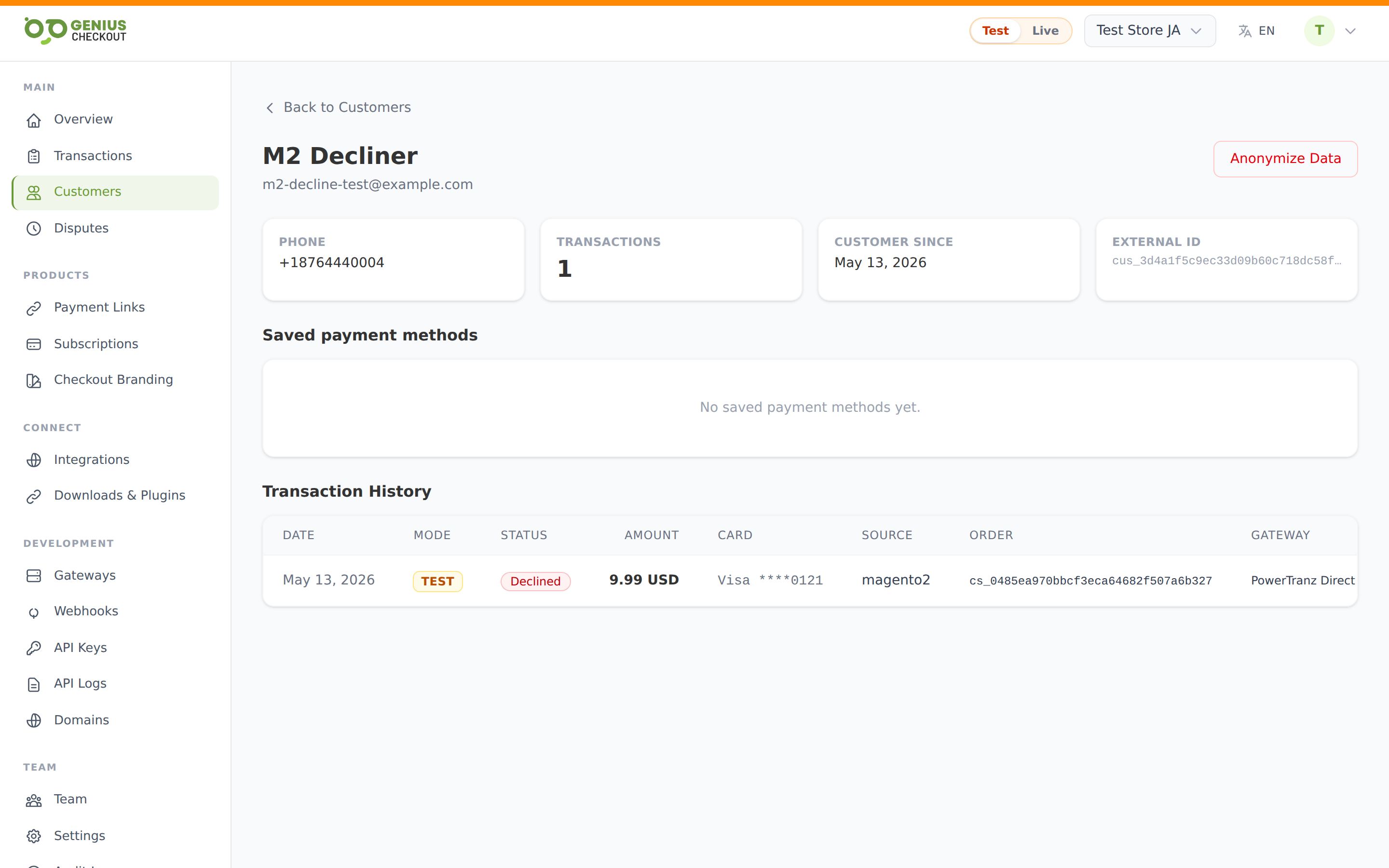
The customer detail page (/merchant/customers/<id>) is the single profile view for one buyer. This page describes every block you'll see and what the actions do.
Header
- Customer name (heading) and email (subtext).
- Anonymise data — a red-outline button in the top right. See below.
- A back link to Customers above the header.
KPI tiles
A four-up row showing:
| Tile | Source |
|---|---|
| Phone | The phone number on the customer record (or —). |
| Transactions | Total count, mode-scoped, all statuses included. |
| Customer since | First date a record was created for this customer. |
| External ID | The platform-issued customer identifier, monospaced. Useful for API calls and support tickets. |
Saved payment methods
A list of every card token attached to this customer in the current mode. Each row shows:
- Brand icon (Visa, Mastercard, Amex, Discover, JCB — others fall back to a letter chip).
- Brand label and
•••• 1234last 4. - Status pill — active, expired, or revoked. Active is green, expired is amber, revoked is grey.
- Expiry (MM/YY), date added, relative time ("3 months ago").
- Success and decline counts — small green and red dot indicators.
- View transactions link that drops back to the Transactions list filtered to that token.
For everything saved cards can do, see Saved Payment Methods.
If there are no saved cards yet you'll see "No saved payment methods".
Transaction history
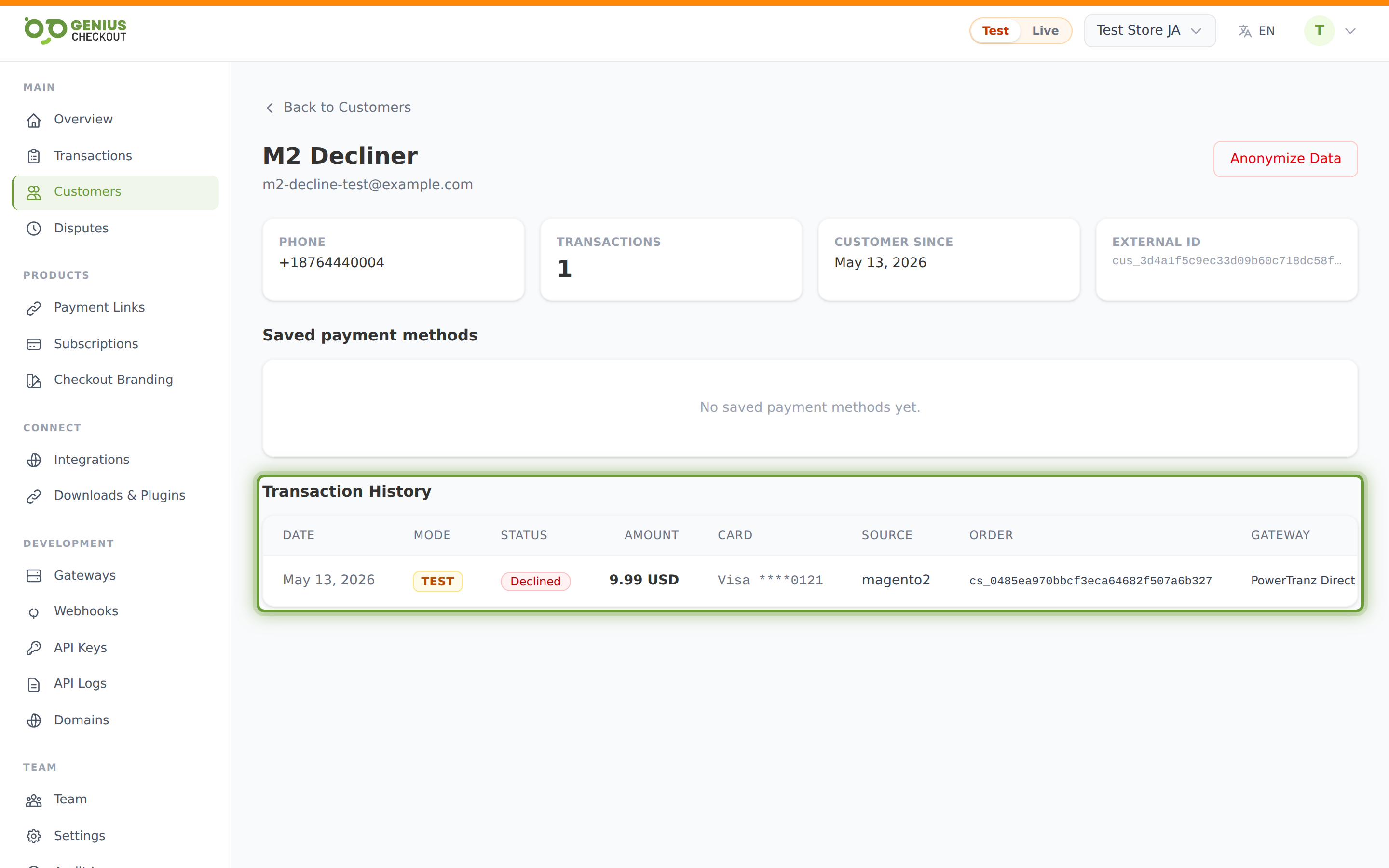
A horizontally-scrollable table of every transaction this customer has made under the current mode. The columns mirror the main Transactions list (minus the Customer column, which would be redundant here):
Date, Mode, Status, Amount, Card, Source, Order, Gateway, ID.
The full transaction id is rendered (not truncated) so you can copy it directly into a support ticket. Click any row to open the transaction detail.
Pagination appears when there are more transactions than fit on one page.
Submitted responses
If this customer has ever submitted custom-field responses on any of your payment links, those answers are grouped by field. Each field shows its label, type, and a history list with the value plus the capture timestamp. Useful for support — you can see at a glance what dietary restriction a returning customer noted last time, for example.
Anonymise data
The Anonymise data button replaces the customer's name, email, and phone with redacted placeholders. Use this when a customer invokes their right to erasure under GDPR, CCPA, or a similar regulation.
WARNING
Anonymisation is irreversible. The transactions themselves remain (you must keep transaction records for accounting and tax law) but the PII fields on the customer record are scrubbed. After anonymising you're redirected back to the customer list.
Click the button and confirm in the browser prompt. The action posts to /merchant/customers/<id>/anonymize.
INFO
Anonymisation does not delete saved payment tokens. Tokens hold no PII themselves — they're just a reference at the gateway — and revoking them is a separate operation (handled at gateway-token level, not currently exposed in the portal UI ).