
WooCommerce
WooCommerce connects via the Genius Checkout for WooCommerce plugin — not OAuth. You install the plugin on your WordPress site, paste your Genius Checkout API key into the plugin settings, and the plugin handles payments end-to-end through your configured gateway.
The full developer install guide lives at WooCommerce Plugin — that page covers the WP-Admin steps. This page covers what happens on the merchant portal side once the plugin is talking to us.
Won't appear on the Integrations page
WooCommerce authenticates via your gc_live_… (or gc_test_…) API key. It doesn't create an IntegrationConnection row, so:
- It does not show up under Integrations.
- There's no per-connection status pill or audit timeline.
- The Transactions list is the source of truth — every WooCommerce payment lands there with Source:
woocommerce.
Linking the right API key
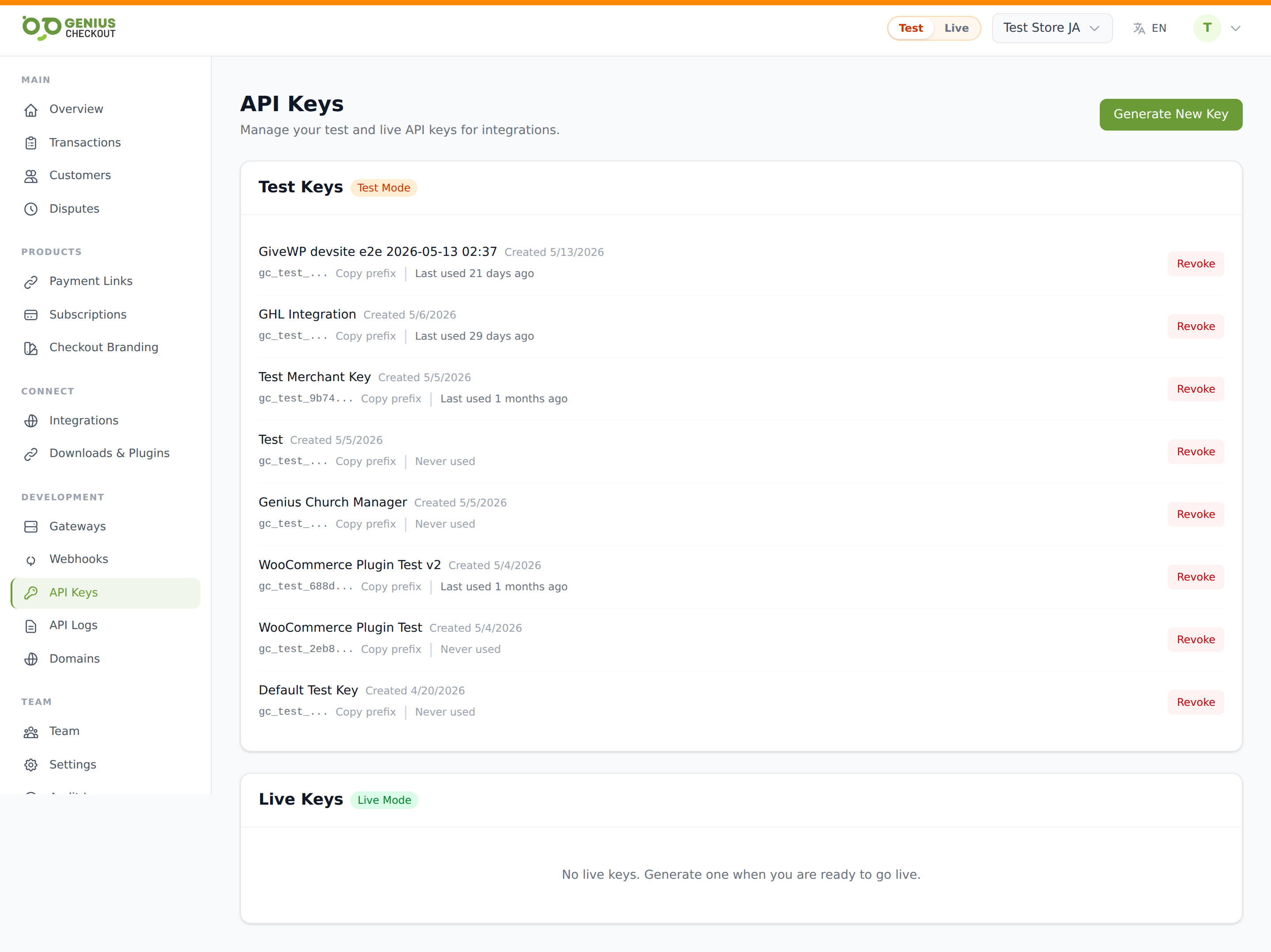
Use one key per WooCommerce site. Name it something descriptive when you generate it — e.g. WooCommerce — main store. The Last used timestamp on the API Keys page is your fastest signal that the plugin is talking to us correctly. Within a minute of the first test payment, it should update.
TIP
If you run a test store alongside a live store, generate two keys — a gc_test_… for the staging site and a gc_live_… for production. Don't share one key across both; revoking it breaks both stores at once.
Allowing the store domain for live payments
Before enabling live mode, open Domains, choose Add Domain, and select Plugin or payment redirects. Paste your WooCommerce store URL and save it. The domain is active immediately—there is no DNS verification step.
The DNS option is only for a dedicated subdomain, such as pay.example.com, that will host Genius Checkout itself. A normal WooCommerce integration does not need it.
Refunds round-trip
Refunds issued from WooCommerce → Order → Refund automatically issue the refund against the linked Genius Checkout transaction and write back. Refunds issued from the Transaction Detail page in the GC portal also push back to WooCommerce via the payment.refunded webhook event, updating the WC order status.
If the webhook can't reach your WordPress site (outbound firewall, plugin disabled, site down), the refund still happens on the GC side — but the WC order will show stale. Check Webhook Deliveries for failed payment.refunded events.
Subscriptions
WooCommerce Subscriptions (the official extension) is supported — recurring billing runs on stored Genius Checkout payment-method tokens. The plugin maps each WooCommerce subscription to a Subscription on the GC side, where you can pause, resume, or cancel from the merchant portal.
Pause/cancel actions in the GC portal propagate back to WC; pause/cancel actions in WC propagate to GC via the plugin's own webhook handlers.
Troubleshooting
"Invalid API key" in plugin settings — verify the full key (starts with gc_live_ or gc_test_) and confirm the plugin's mode toggle matches the key prefix. Live key + plugin in test mode = rejected.
Plugin says configured but payments don't appear — check API Logs for POST /api/v1/checkout-sessions from the plugin's outbound IP. No requests means the plugin isn't reaching us — verify your WordPress host can make outbound HTTPS to app.geniuscheckout.com.
"Domain … is not authorized" — add the exact hostname used by the WooCommerce return URL under Domains → Plugin or payment redirects. Save it and retry; no DNS change is required.
Revoking access
If a WooCommerce site is compromised, revoke its API key from API Keys immediately. The plugin stops processing the moment the key is revoked. Generate a fresh key, paste it into the plugin, and the site is live again.