
Integrations Overview
The Connected Stores & Integrations page is where you wire Genius Checkout into the platforms you already sell on. Open it from the left nav under Integrations.
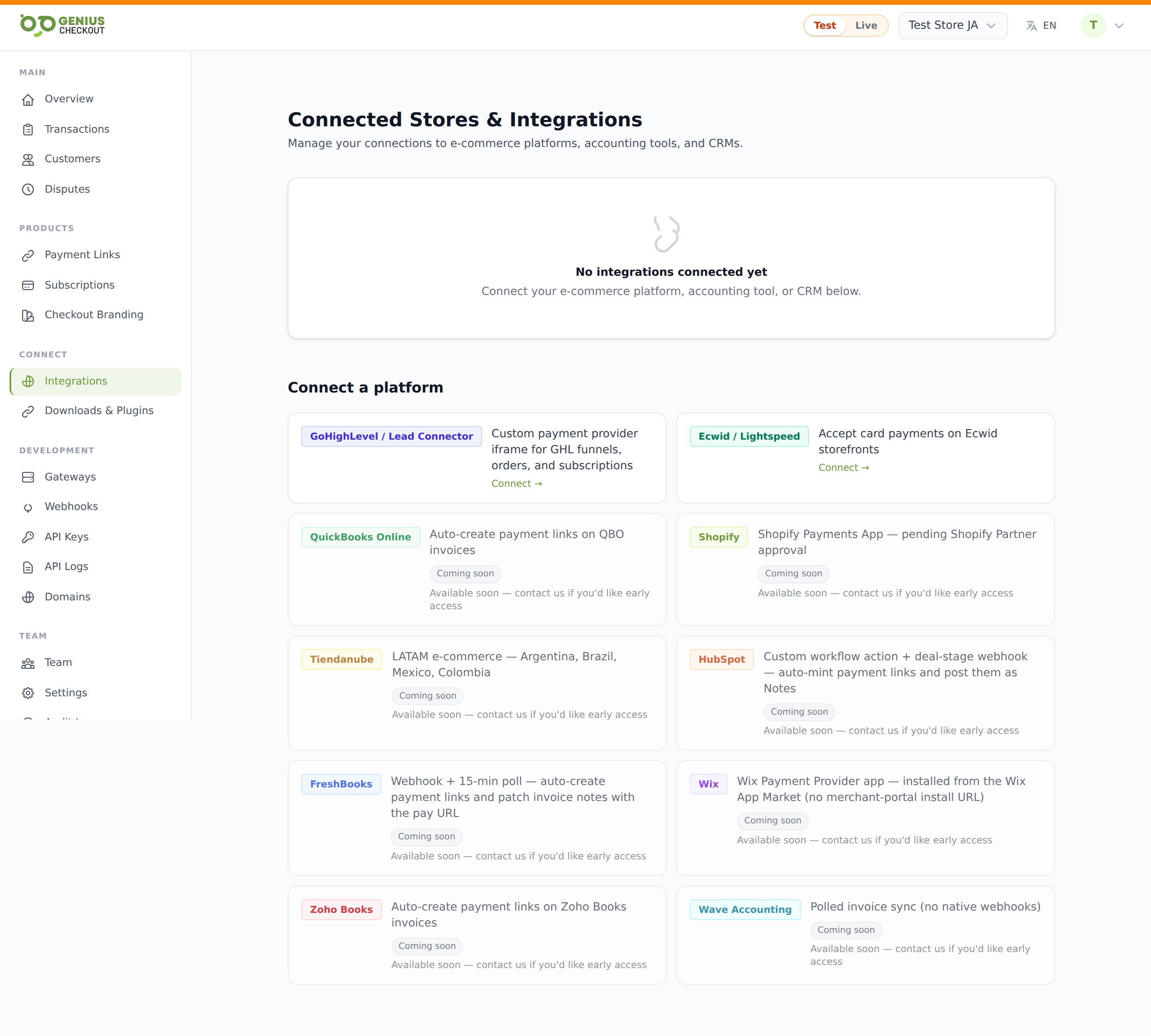
What the page shows
Two stacked sections:
- Active connections — a card grid of every integration you've already connected. Each card shows the provider, a status pill (Connected in green or Disconnected in grey), and a one-line metadata summary (e.g. the QuickBooks realm ID, the Ecwid store ID). Click any card to drill into its detail page.
- Connect a platform — every integration we offer. Cards marked Ready are click-to-install; cards marked Coming soon show the controller is in place but the install flow isn't merchant-buyer-ready yet.
TIP
If the Active connections section is missing on first load, you don't have any connections yet — just scroll to Connect a platform and pick one.
OAuth vs manual-credential integrations
There are two ways an integration links to your Genius Checkout account:
- OAuth integrations (HighLevel, QuickBooks, Shopify, HubSpot, FreshBooks, Wave, Zoho, Tiendanube, Ecwid, Wix, Mercado Libre, Mercado Pago, monday.com, Salesforce, BigCommerce) auto-manage their Genius Checkout API key. You don't paste anything back at us during install — we provision the key during the OAuth callback and store it encrypted on the connection. The detail page shows the live + test keys masked, plus a Rotate keys action.
- Manual-credential integrations (Slack webhook, Telegram bot, etc.) ask you to paste a
gc_live_…orgc_test_…key into the detail page so the integration knows which Genius Checkout merchant to call on your behalf.
The detail page
Clicking a card takes you to /merchant/integrations/{provider}/{id}. The detail shell is the same shape for every provider and contains:
- Header — provider name, status pill, summary, and action buttons (Reconnect, Disconnect, Remove).
- Connection details — external ID, scopes, connected-at, summary.
- API keys — for OAuth providers, an "Automatic — managed by Genius Checkout" panel showing masked keys. For manual providers, a paste-keys form.
- Recent activity — the last 20 audit events for this connection (connected, reconnected, token-refreshed, API-key-changed, removed).
- Settings — a provider-specific panel rendered only for integrations that have one (HighLevel, QuickBooks, Ecwid, HubSpot, FreshBooks, Wix).
Disconnect vs Remove
These are different. Disconnect stops webhooks firing and sets a disconnected_at timestamp, but keeps the record so you can reinstall without losing history. Remove hard-deletes the connection — you'll need to reinstall from scratch.
See the per-integration pages for the specifics:
- Lead Connector (LC) — install if your sub-account is on the whitelabel brand
- HighLevel (GHL) — install if your sub-account is on the non-whitelabel HighLevel brand
- QuickBooks Online
- Wix
- Ecwid
- WooCommerce
- GiveWP