
Sharing, QR codes & stats
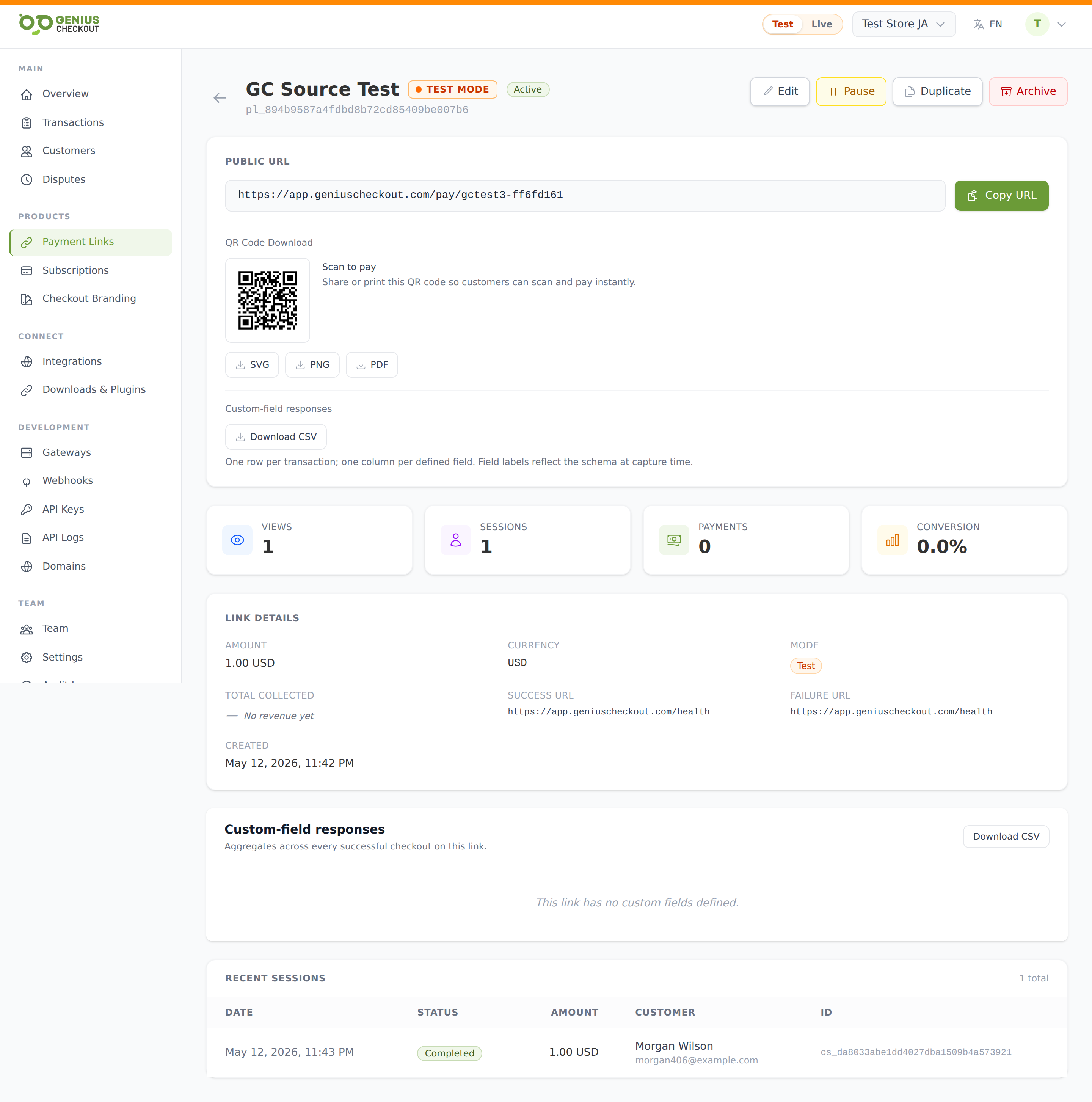
Every payment link has a detail page (click any row in Payment Links) with the public URL, a QR code, live stats, and a list of every checkout attempt.
The public URL
The top of the detail page shows the URL in a copy-ready bar with a Copy URL button. The format is:
https://pay.geniuscheckout.com/pay/<slug>The slug is auto-generated from the title at creation time. You can rename it from the edit page — but remember that any previously shared links break when you do.
QR codes
Below the URL, a QR-code preview renders the link as a scannable image. Download buttons next to it generate:
- SVG — vector, scales infinitely, best for print and web
- PNG — raster, good for slide decks and social
- PDF — full-page printable poster with the QR centred (good for posting at the door of an event or storefront)
Print bigger
For a poster bigger than letter size, download the SVG and scale it in your design tool — it stays crisp at any size.
Pause and activate
The detail-page header shows the current status badge (active / paused / draft / archived) next to the title. Buttons appear contextually:
- Pause — only when status is
active. Public URL keeps resolving but rejects payments. - Activate — only when status is
pausedordraft. Resumes accepting payments. - Archive — opens a confirmation; takes the URL offline (returns 404 to buyers). Past stats and exports stay intact.
Stats at a glance
Four cards across the top:
| Card | What it counts |
|---|---|
| Views | Every time a buyer loaded the public page (deduped by session). |
| Sessions | Every checkout attempt — completed, failed, or abandoned. |
| Payments | Successful captured transactions. |
| Conversion | Payments ÷ Views, as a percentage. |
Total collected (per currency)
For multi-currency links, the Total collected widget breaks out captured totals per currency. Test-mode totals never appear in the Live view and vice versa.
Recent sessions
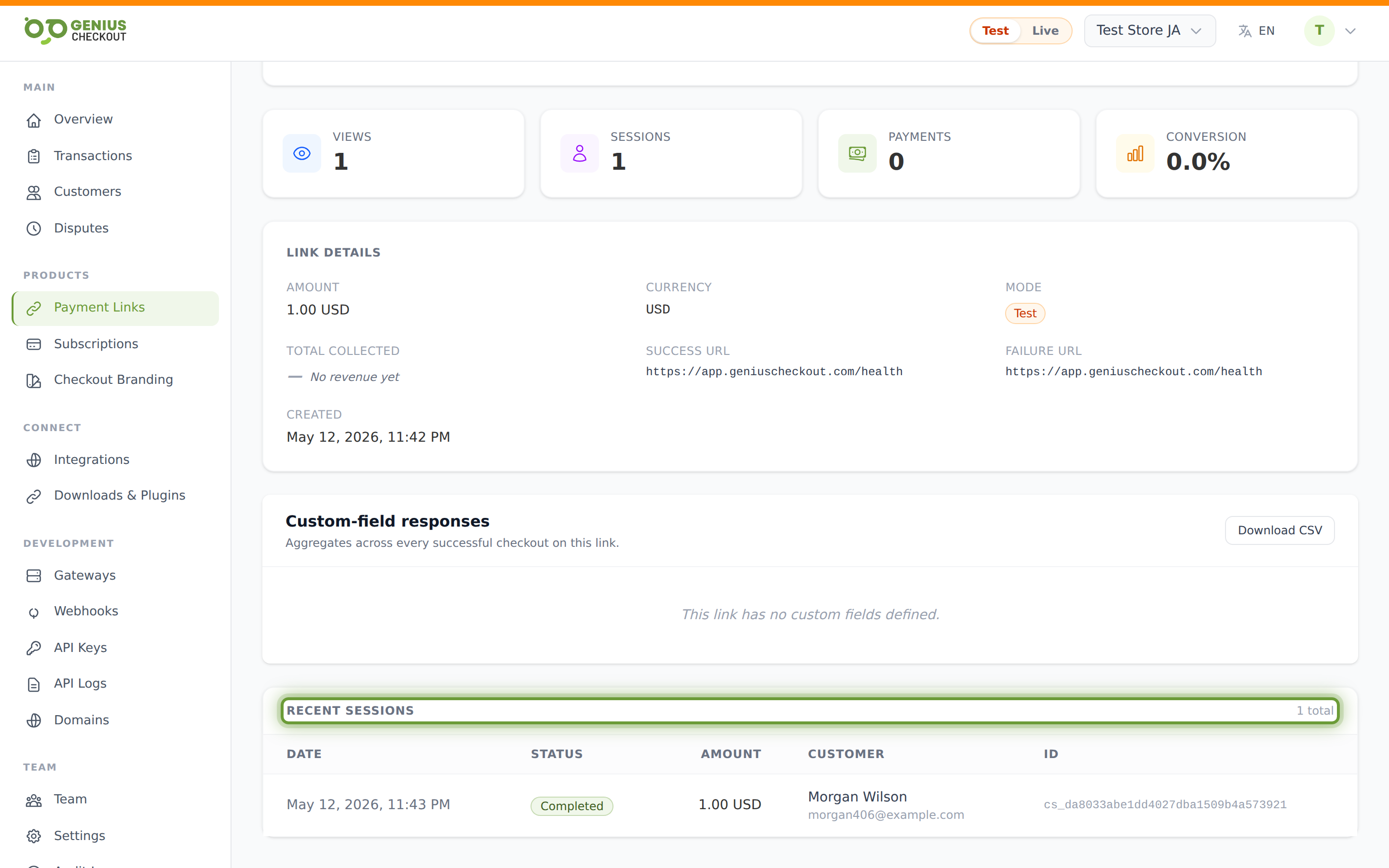
The bottom of the detail page lists the last 50 checkout sessions for this link, newest first. Each row shows: timestamp, session status, amount, customer name + email (if collected), and the transaction ID. Click any row with a transaction ID to jump to the transaction detail.
Session statuses you'll see:
- Paid — card captured.
- Started / Pending — buyer landed but never submitted.
- Failed / Declined — submitted but the gateway refused.
- Expired — session timed out before submission.
- Refunded / Partial refund — captured then refunded later.
Custom-field responses
If the link has custom fields, a dedicated panel shows aggregates per field — counts, sums, top values, distribution by month. The Download CSV button under the QR section exports one row per transaction with all responses included.
What gets shared in webhook payloads
Successful payments fire a transaction.captured webhook including the payment link ID and slug. PII-flagged custom fields are redacted in the payload.