
Subscription lifecycle
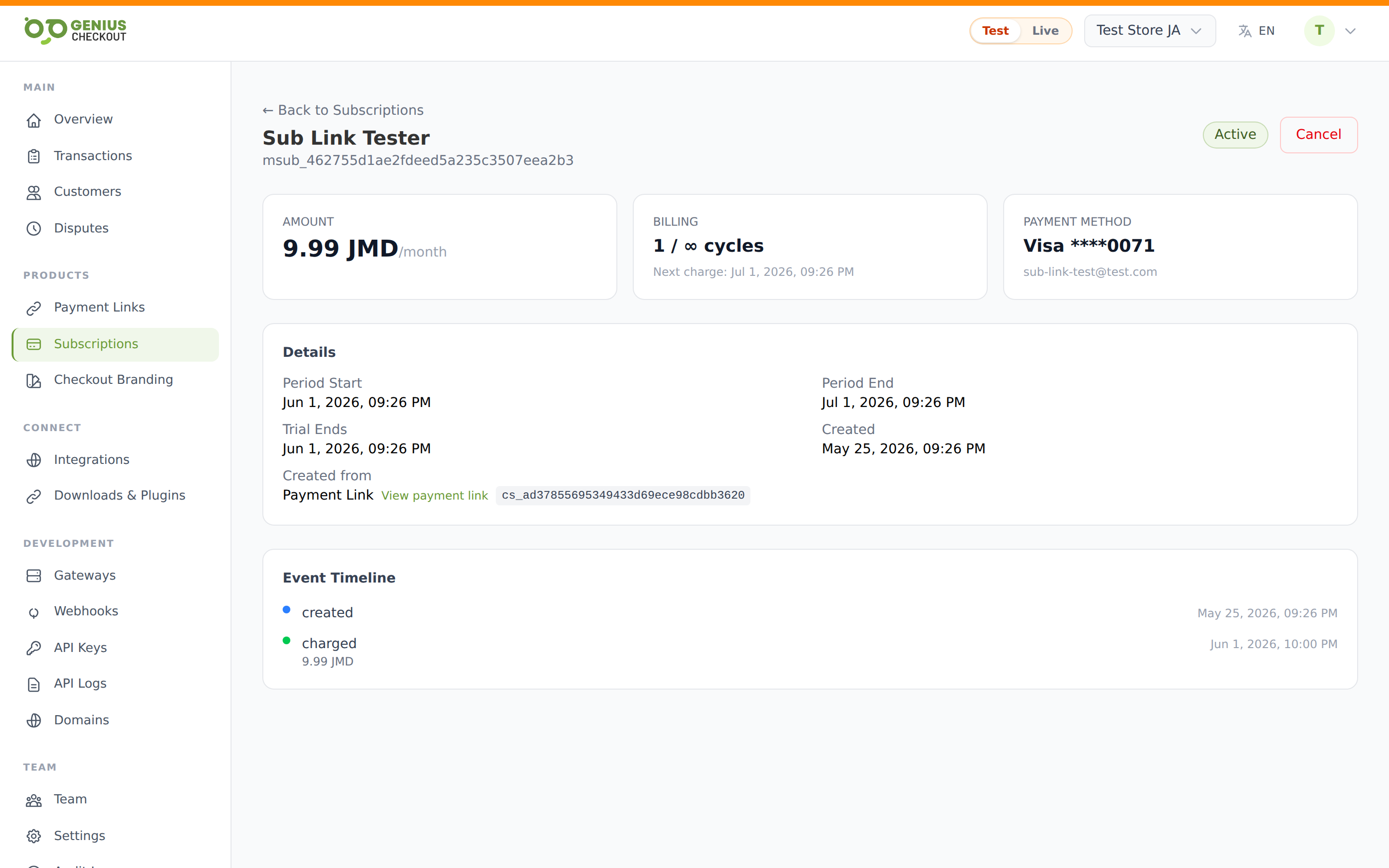
Click any row on the Subscriptions list to open its detail page. This is where you read history, change billing dates, swap the payment method, and cancel.
Header
The top of the page shows:
- Buyer name + email as the heading.
- External ID (
msub_...) below — useful for support tickets and webhook correlation. - Status badge on the right.
- Cancel button (hidden once already canceled or expired).
Info cards
Three cards at the top summarise the subscription:
| Card | Shows |
|---|---|
| Amount | Per-cycle charge and interval (e.g. $29.99/month). Setup fee, if any, appears below. |
| Billing | Completed cycles vs. total (5 / 12 or 5 / ∞ for unlimited). Next charge date underneath. |
| Payment method | Card brand + last 4. Customer email underneath. |
Details grid
The Details card lists the structured fields:
- Current period start and end — the boundary of the current billing cycle.
- Trial ends — only shown during a trial.
- Created — the signup date.
- Cancelled — date and reason, only after cancellation.
- Dunning attempts — only when
past_due, see Dunning. - Created from — Source chip plus, when applicable, a link to the originating Payment Link and the upstream system's subscription ID (e.g. the GHL subscription ID).
Original signup details
If the link's custom fields captured anything at signup (t-shirt size, mailing address, consent), it appears in a frozen snapshot under Original signup details. The snapshot keeps the field labels and values from the moment the buyer signed up, so it stays accurate even if you later changed the link's schema.
Event timeline
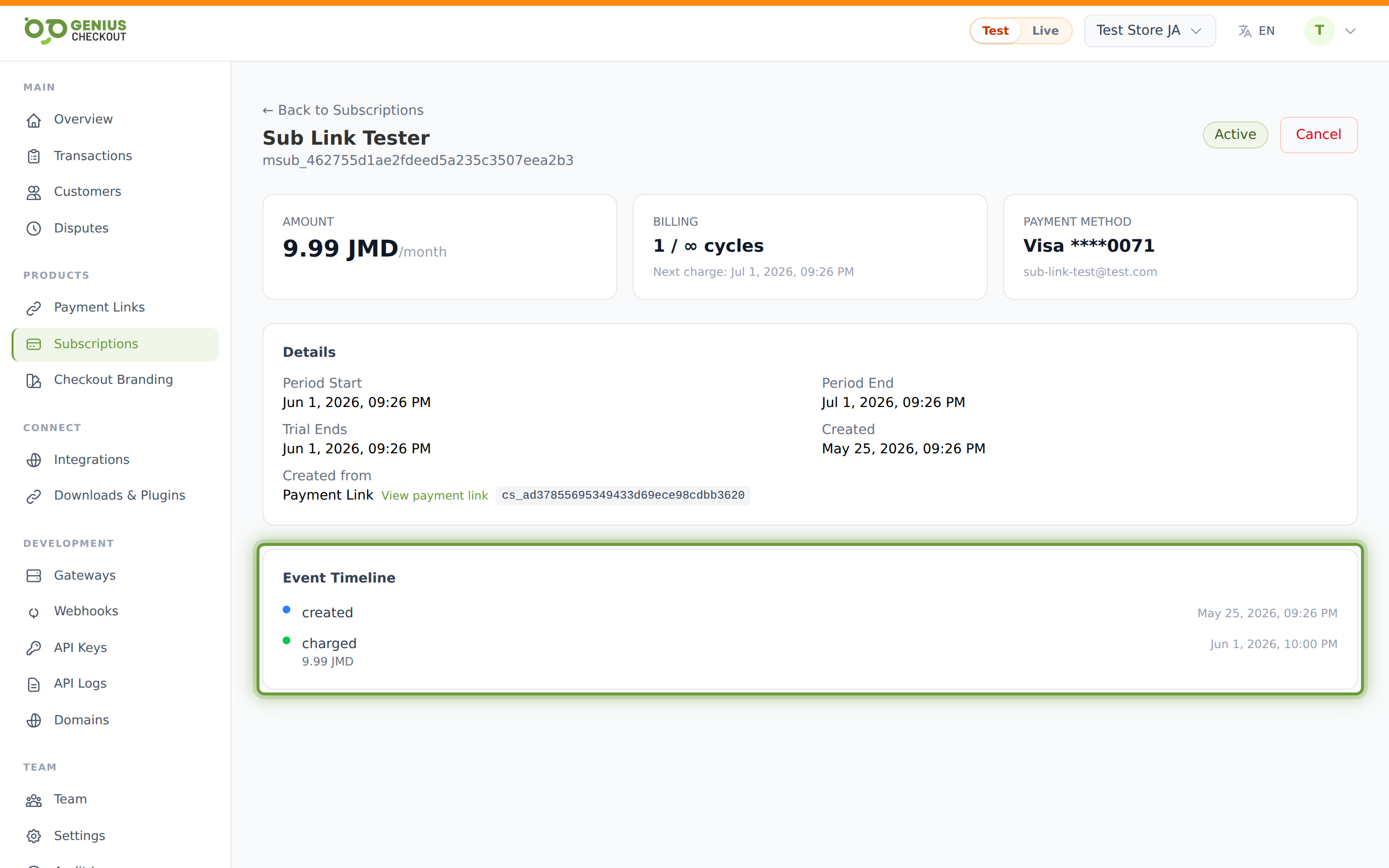
Every state transition is logged. You'll typically see:
| Event | When |
|---|---|
created | The subscription was first registered. |
charged | A renewal (or the first cycle) succeeded. |
charge_failed | A renewal attempt failed; dunning starts (or continues). |
paused | You paused renewals. |
resumed | Renewals re-enabled. |
payment_method_updated | The buyer (or you) swapped the card on file. |
canceled | You or the buyer canceled. |
expired | Total-cycles cap reached. |
Each entry shows the timestamp and, where relevant, the charged amount.
Actions
Cancel
Click Cancel in the header. The modal lets you record a reason (free-text, optional) which is saved on the subscription and shown to the GHL side if applicable. After confirming, status flips to canceled and no further charges occur.
Pause / Resume
Pause and resume are supported by the backend service. Pausing freezes renewals at the current cycle date; resuming reactivates them from now. The event timeline records both transitions.
Payment-method swap
The buyer can update their card from the customer portal; you can trigger the same flow from the subscription detail page when supported. The payment_method_updated event logs every swap.
How states propagate to integrations
When a subscription was created from HighLevel, lifecycle changes propagate back to GHL via outbound webhook:
| Internal status | GHL status sent |
|---|---|
active, trial | active |
past_due | past_due |
paused | unpaid (GHL has no native paused state) |
canceled | canceled |
expired | expired |
If the outbound sync fails, a retry marker is recorded so the ghl:retry-failed-state-syncs job can replay it.