
Webhook Endpoints
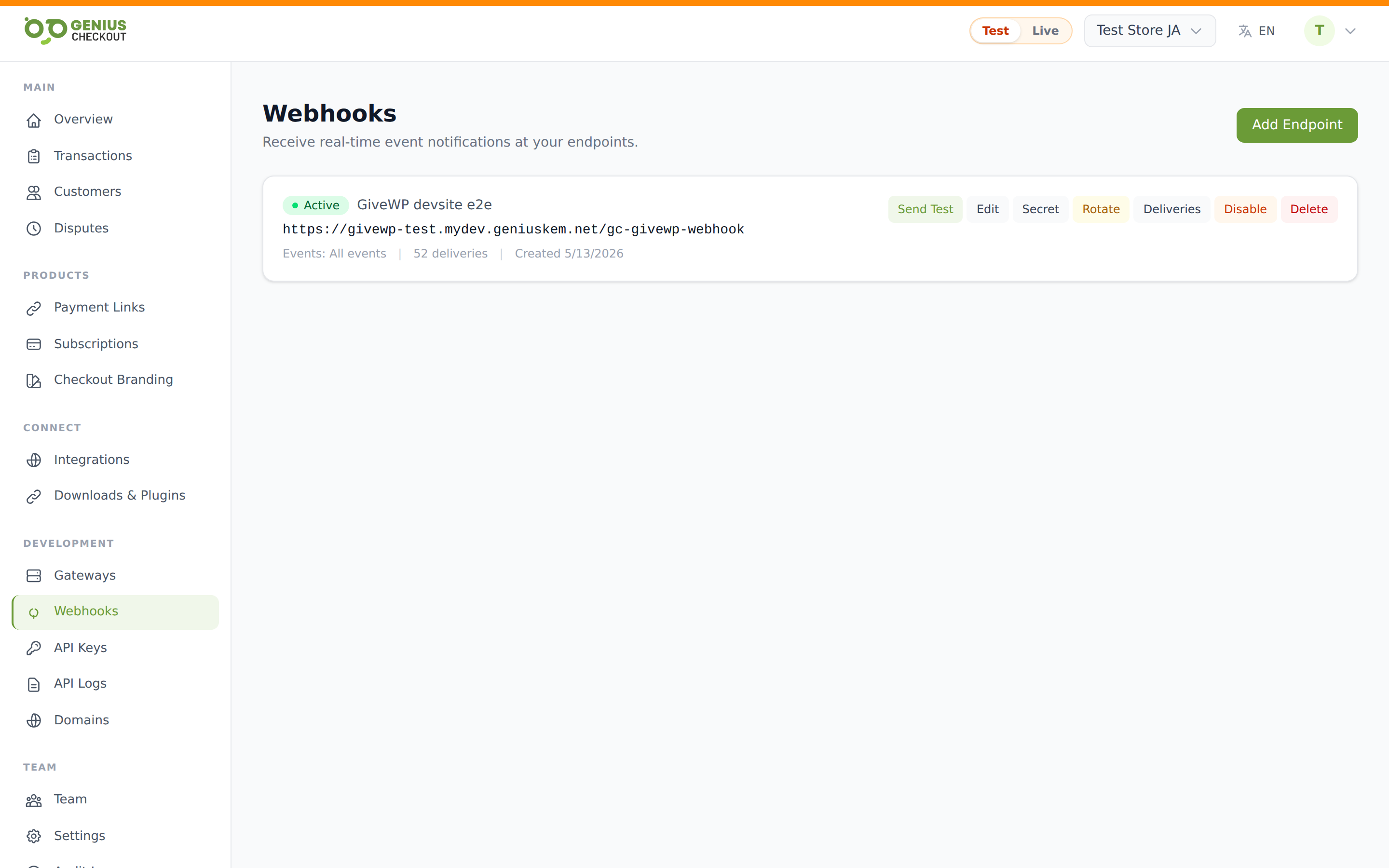
The Webhook Endpoints page (under Developer → Webhooks) is where you register one or more HTTPS URLs that Genius Checkout will POST event payloads to whenever something interesting happens in your account. Pair this with the Webhook Deliveries page for live visibility.
For the JSON payload shape and signing details, see the developer-side Webhooks reference.
Creating an endpoint
Click Add endpoint. The form takes:
- URL — required, must be a public
https://URL. Localhost and private-network addresses are rejected (use a tunnel like ngrok for local development). - Description — optional internal label, max 255 chars. Useful to remember which system is on the other end.
- Events — pick from the available event types. Defaults to
*(all events).
After save, the endpoint appears in the list with a Signing Secret modal — copy this immediately. You'll need it to verify incoming webhooks (see below).
Copy the signing secret now
The secret is shown once at create time and revealed only on demand from the masked field afterwards. Losing it isn't fatal — you can rotate it — but it stops your verification code working until you update it.
The signing secret
Every endpoint has its own signing secret. We sign each payload with HMAC-SHA256 of {timestamp}.{body} using this secret, and send the result in the Webhook-Signature header along with the timestamp. Your endpoint should reconstruct the signature locally and reject any request that doesn't match. The Webhooks developer reference has a Node, PHP, and Python verification snippet.
To view the secret again, click the eye icon next to the endpoint and confirm the modal. To rotate it, click Rotate secret — the previous secret remains valid for 72 hours so you can migrate without downtime.
Available event types
Subscribe to as many as you need. The events Genius Checkout emits are:
Payment lifecyclepayment.completed, payment.failed, payment.captured, payment.capture_failed, payment.refunded, payment.refund_failed, payment.voided, payment.void_failed
Checkoutcheckout.cancelled, checkout.session.expired
Subscriptionssubscription.created, subscription.active, subscription.trialing, subscription.charged, subscription.charge_failed, subscription.cancelled, subscription.paused, subscription.resumed, subscription.expired, subscription.trial_converted, subscription.payment_method_updated, subscription.updated
Self-testtest.ping — fired by the Send test event button on each endpoint.
Pick All events (*) if you don't want to maintain the subscription list as we add new events. Pick specifically named events if you want to lock down what your endpoint handles.
Enabling and disabling
The toggle on each endpoint row switches it between active and paused. While paused, no new deliveries are queued, but already-queued retries continue. Use this to temporarily silence a noisy endpoint while you ship a fix without losing the registration.
Editing an endpoint
Click Edit to change the URL, description, or event list. The signing secret survives the edit — your verification code keeps working.
Deleting an endpoint
Delete removes the endpoint permanently. Past deliveries stay in the Webhook Deliveries history for audit, but no new events will be sent to it.
Sending a test event
Each endpoint has a Send test event button that pushes a synthetic test.ping payload through the same delivery pipeline (signed, retried, logged) as a real event. Use it to verify your endpoint is reachable and your signature verification works before going live.