
GiveWP
GiveWP is a WordPress donation plugin. Genius Checkout integrates as a payment gateway add-on — donors pay with cards through your configured gateway (PowerTranz, MPGS, etc.) and donations land in the GC Transactions list alongside your other revenue.
The full developer install guide lives at GiveWP Plugin. This page covers the merchant portal side once the plugin is connected.
Won't appear on the Integrations page
Like the WooCommerce plugin, GiveWP authenticates via your gc_live_… (or gc_test_…) API key — no OAuth, no IntegrationConnection row. That means:
- GiveWP does not show under Integrations.
- The Transactions list shows each donation with Source:
give. - The donor's name, email, and donation form name flow through as metadata so you can filter the transaction list by donation form.
One key per donation site
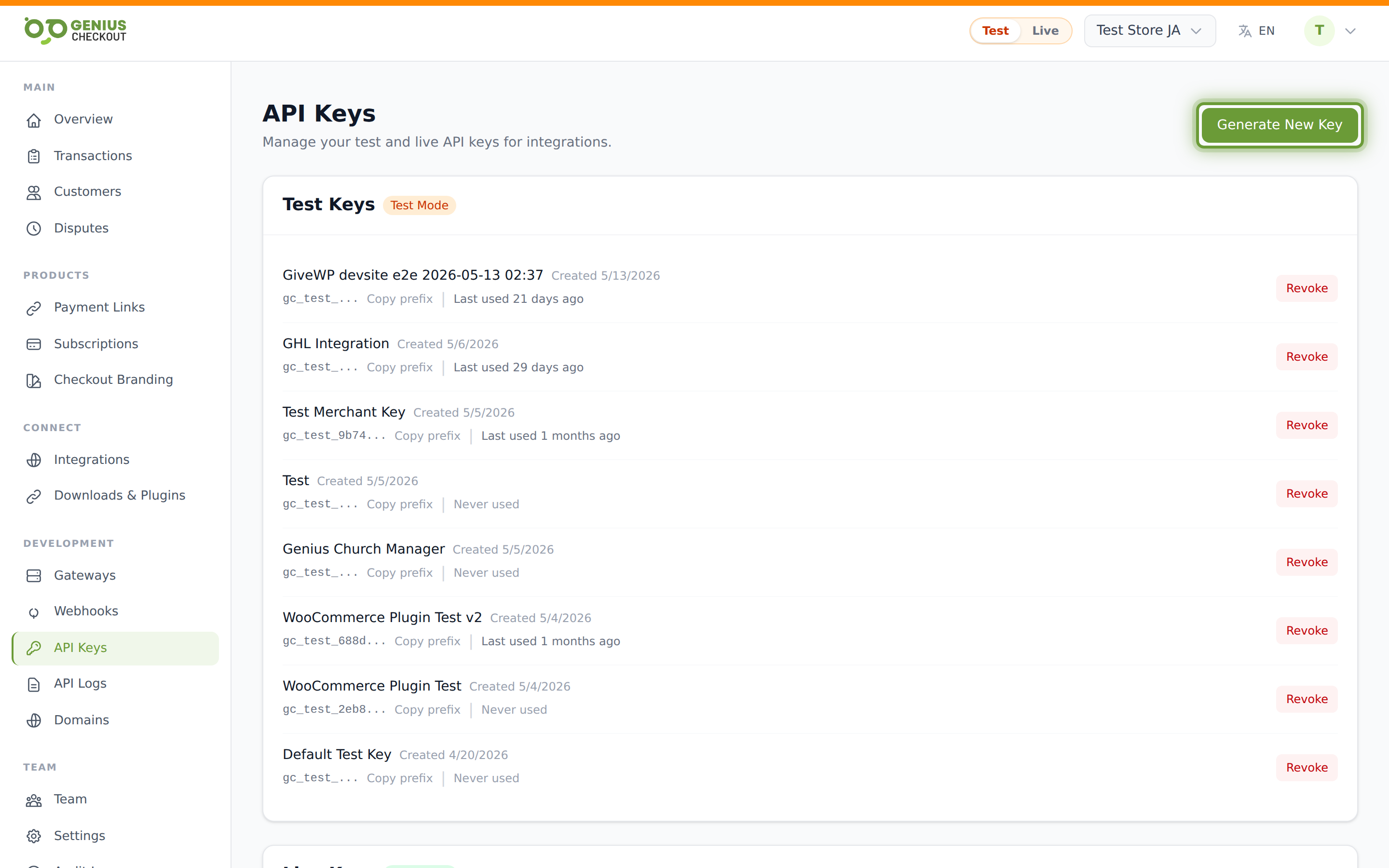
Generate a descriptive key per site — e.g. GiveWP — donations. Watch the Last used column on the API Keys page to confirm the plugin is reaching us. The timestamp updates within a minute of the first test donation.
One-time vs recurring donations
GiveWP supports both. One-time donations create a single transaction; recurring donations create a Subscription on the GC side with status active. Cancellations from the donor's GiveWP portal propagate back to GC. Cancellations from the GC merchant portal also propagate to GiveWP.
Custom fields & donation metadata
If you've enabled custom fields on your GiveWP donation form (donor address, dedication, anonymous toggle, etc.), the plugin maps them into our transaction metadata. They show up on the Transaction Detail page under Metadata and export as separate columns when you export the transactions CSV.
Refunds
Refunding a donation works the same as a regular WooCommerce or API transaction — open the transaction in Transaction Detail, click Refund, and the refund flows back through GiveWP via the payment.refunded webhook event. The GiveWP donor record updates to reflect the refunded state.
Troubleshooting
Donations are completing on GiveWP but not showing in GC Transactions — check API Logs for the donation form's outbound calls. If they're absent, the plugin isn't reaching us. If they're 4xx, the API key is wrong or revoked.
"Test mode" donations going to live gateway — verify your GiveWP "Test mode" toggle matches the API key's mode (gc_test_… vs gc_live_…). Mismatch = the plugin rejects.
Revoking access
If a GiveWP site is compromised, revoke its API key from API Keys. The plugin stops processing immediately. Paste a fresh key when ready.