
Customer List
The Customers list (sidebar → Main → Customers) is the directory of every buyer who has paid you (or attempted to pay you) under the current mode. This page covers the list, the search box, and what each column means.
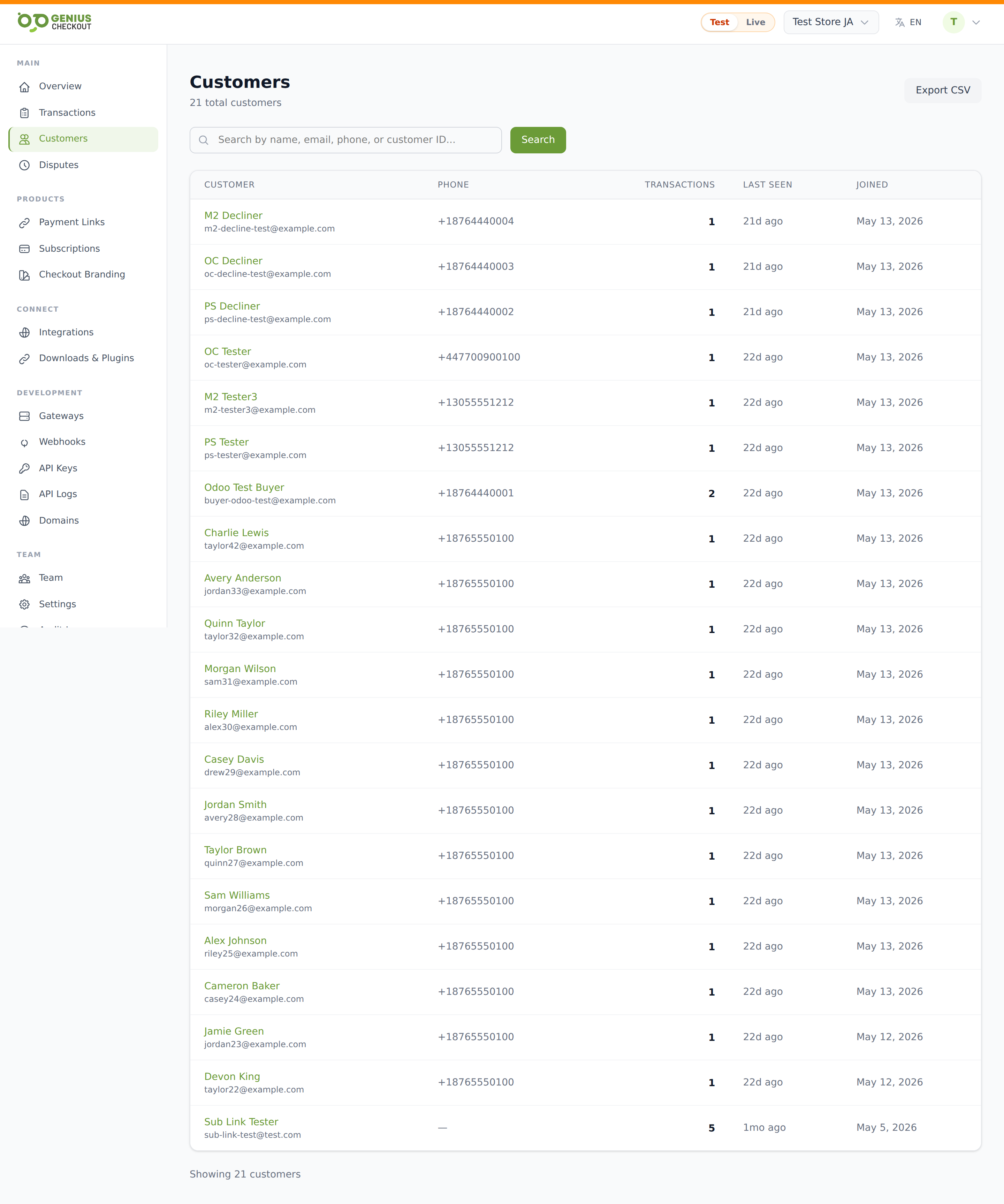
Search
The search bar at the top matches against:
- Customer name
- Email address
- Phone number
- External id (the customer identifier we issued)
Type your query and press Enter or click Search. Use Clear to reset.
TIP
The search is server-side and case-insensitive. It performs a substring match, so typing gmail returns every customer with a Gmail address.
The table
Columns, left to right:
| Column | What it shows |
|---|---|
| Customer | Name in green (clickable) and email in grey. |
| Phone | Customer's phone number, or — if not collected. |
| Transactions | Total count of transactions linked to this customer, mode-scoped. |
| Last seen | Relative timestamp ("today", "5 days ago", "2 months ago", "3 years ago") for the customer's most recent transaction. |
| Joined | Date the customer record was first created. |
Click any row to open the Customer Detail page.
CSV export
The Export CSV button (top right) downloads the full customer directory respecting your current search. Useful for marketing exports, dunning lists, or backing up records. See Exporting Data.
Empty states
- No customers yet — shown when nobody has paid you in the current mode. Try the Test mode for sample data, or generate your first transaction.
- No match — shown when the search returned zero results. Try a less specific query.
Where customer records come from
A customer record is created automatically when a payment includes identifiable contact information (name, email, phone). Sources:
- Hosted Checkout sessions where the buyer filled in customer fields.
- Payment Links with the customer block enabled.
- API calls that included a customer object.
- Integration webhooks that map their own customer to ours (HighLevel contacts, WooCommerce customers, etc.).
Guest checkouts where no email was collected do not create a customer record — those transactions appear in Transactions but not in this list.
Mode scoping
Like every other surface in the merchant portal, the customer list is mode-scoped. A customer who has only paid you in Test mode won't appear here when you're viewing Live. See Test Mode vs Live Mode.