
Plan & Billing
The Billing page surfaces everything about how Genius Checkout charges you (as distinct from the buyer-facing payment side). Open it from the user menu in the top right.
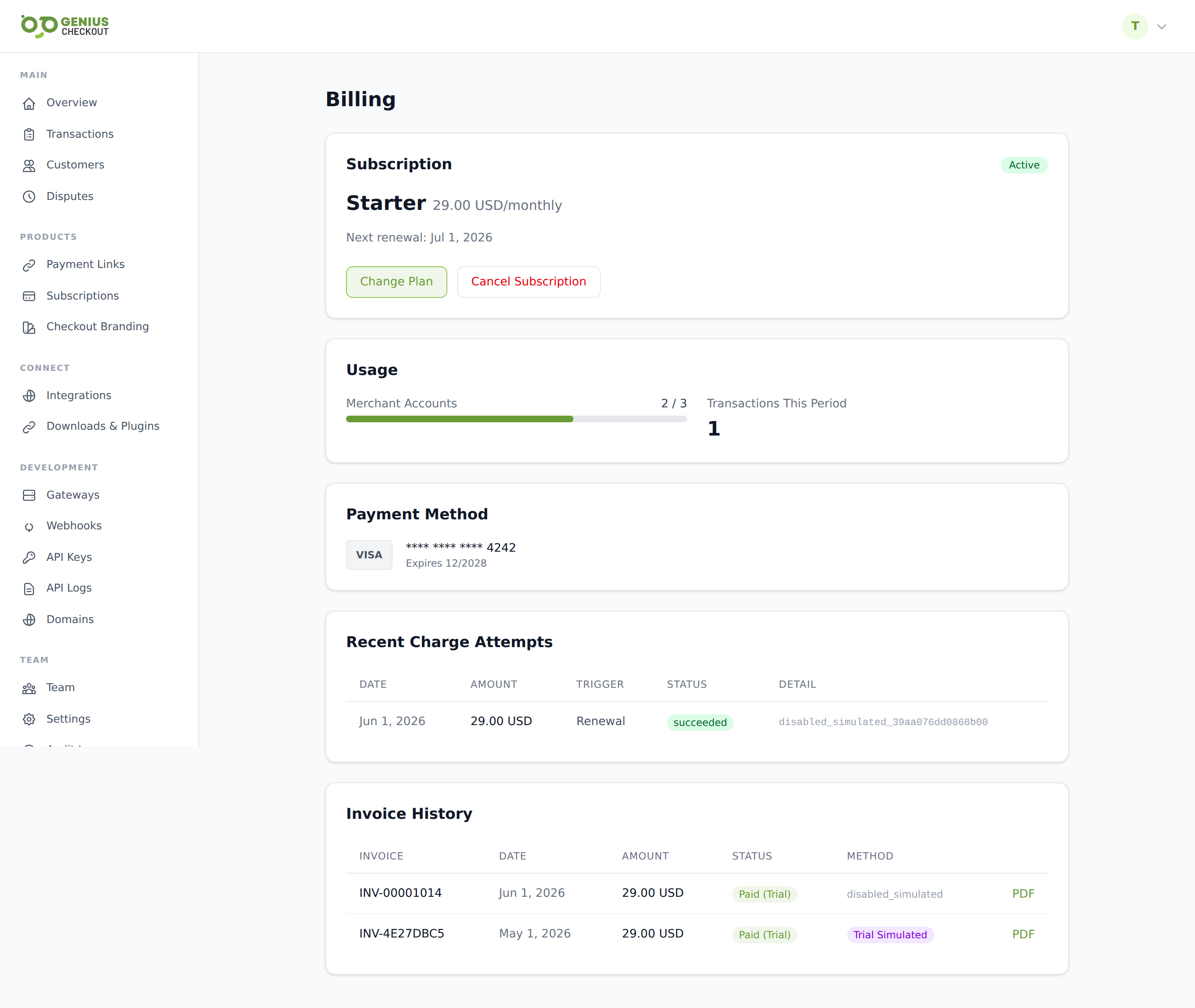
Your current plan
A summary card across the top shows:
- Plan name and price per billing cycle.
- Status —
active,trial,past_due,cancelled, orsuspended. - Trial countdown — days remaining if you're inside a trial. The card flags whether the trial converts to paid on a specific date.
- Period dates — when the current paid window started and when it next renews.
- Usage snapshot — count of active merchant accounts vs your plan's limit, and the transaction count this billing period vs limit (if your plan caps transactions).
Available plans
The Available plans list below the summary card shows every plan you can switch to:
- Plan name, description, price, and billing cycle.
- Per-plan limits: merchant accounts, transactions per cycle.
- Feature checklist.
Click Upgrade or Downgrade to switch. Upgrades are prorated and charge the difference immediately. Downgrades take effect at the start of the next billing cycle so you keep the higher tier through the end of the period you've paid for.
TIP
A subset of Genius Checkout plans (notably the Caribbean publishing tier) are intentionally always-free for merchants on supported platforms — these don't show a price card. Talk to support if you think you should be on a free plan and aren't.
Billing card on file
The Payment method card shows the brand, masked PAN (last four), and expiry of the card we'll charge on each renewal. Click Update to replace it — you'll be redirected to a secure hosted card-entry page, charged $0 / $1 for verification, then sent back to the billing page with the new card saved.
If the card on file has expired or is about to, the page surfaces a yellow warning at the top. Replace it before the next renewal date to avoid going past-due.
Invoice history
Every renewal generates an invoice that lands in the Invoice history table:
- Invoice number
- Amount and currency
- Status —
paid,open,void, orpast_due. - Billing method —
card,bank_transfer, etc. - Payment date — when the renewal charge cleared.
- Created — when the invoice was issued.
Click any invoice number to download the PDF. Paid invoices are available indefinitely.
Past-due / charge attempts
When a renewal charge fails, the Charge attempts section lists every retry with its trigger (initial_signup, renewal, dunning_retry, manual), the failure reason, and the gateway transaction ID. We retry on a dunning schedule before suspending the account.
To pay past-due immediately, click Pay now in the past-due banner. We re-attempt the charge against your saved card right away. If that card is the problem, update the card first via the Update button above.
Cancelling
The Cancel subscription action at the bottom of the page schedules cancellation for the end of the current paid period. You keep portal access until then, after which your account is suspended (read-only). To reactivate before suspension lands, click Reactivate.
Trial conversions
If your account is on a trial, the page surfaces a Convert to paid now action that charges the prorated amount immediately and starts the paid cycle, useful if you want to lock in a plan before the trial auto-converts.