
Issuing Refunds
This page walks through refunding a captured payment from the transaction detail page. Only roles with the initiate_refunds permission (Owner, Admin, Finance — see Team Members & Roles) can run this flow.
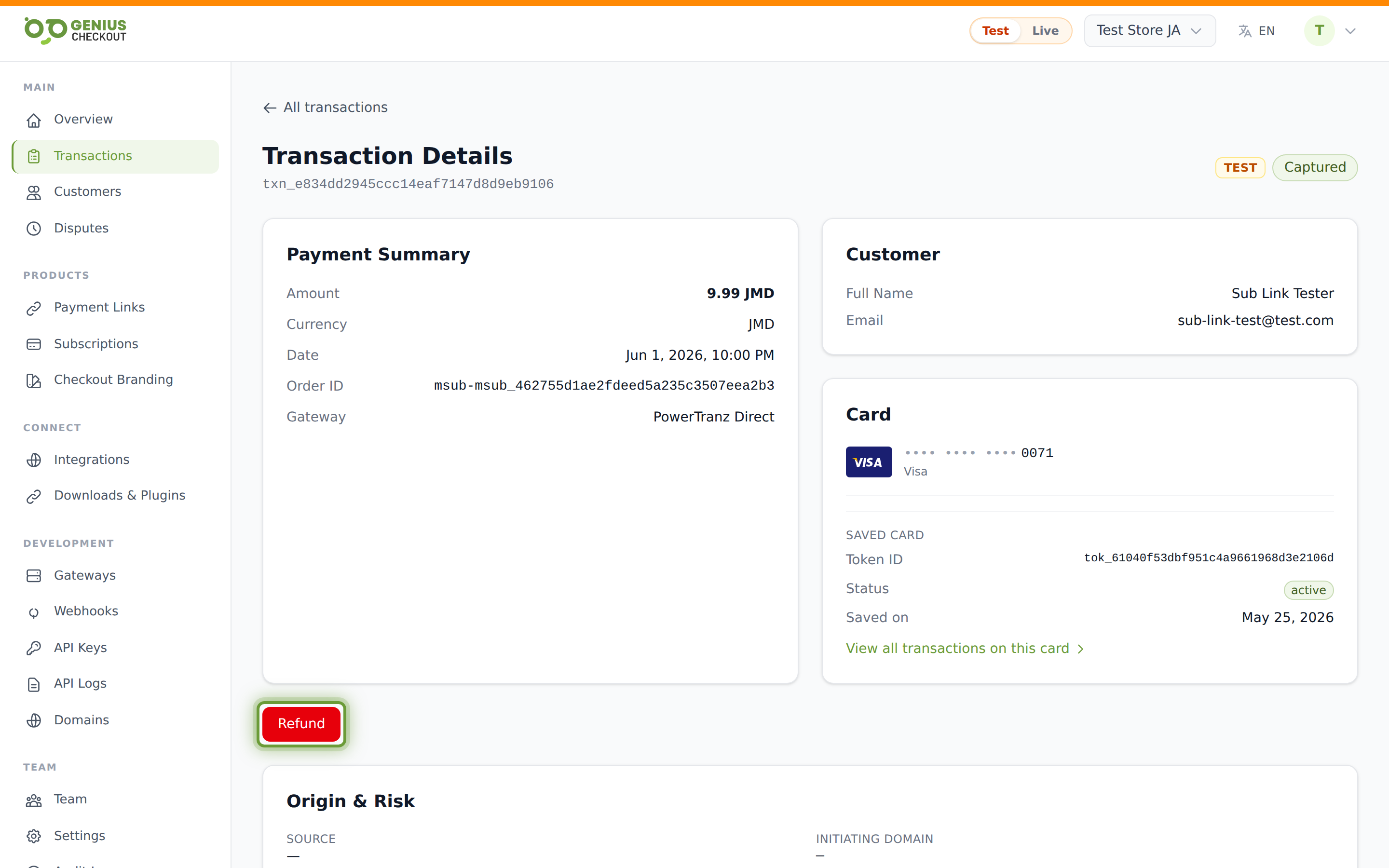
When the Refund button appears
The red Refund button shows on the transaction detail page when the transaction's status is one of:
captured— full balance still available to refund.partially_refunded— some has already been refunded; you can refund up to the remaining balance.
If the status is authorized (the funds are held but not settled), use the Void button instead — see Captures & Voids. Voiding is cheaper than refunding because the money never moved.
The refund modal
Click Refund to open the modal. It has two inputs:
- Amount — pre-filled with the full transaction amount. Edit it for a partial refund.
- Reason — optional. Free text. Useful for your own records and for the audit log.
The amount field is locale-aware: it's a plain text input with inputmode="decimal". You can type either 10.50 or 10,50 and both are parsed correctly. This matters because some browsers render type="number" using the operating system locale, which silently rewrites your input on Spanish, French, and Portuguese systems.
Click Confirm to submit. The button is disabled while processing.
What happens behind the scenes
- Genius Checkout records a Refund record in
createdstate. - It calls the original gateway with a refund request, referencing the gateway transaction id.
- On success, the Refund moves to
completed, the transaction moves topartially_refundedorrefunded(depending on whether anything's left), and arefund.created(and on completion,refund.completed) webhook fires. See the webhook events for the payload. - The card network credits the buyer's funding instrument. Most card networks complete the credit in 5–10 business days, though some debit cards settle within hours.
INFO
We never re-charge the card on a refund. Refunds reverse the original capture; they do not initiate a new payment.
Full refund vs partial refund
You can issue multiple partial refunds against a single capture, as long as the cumulative refunded amount does not exceed the captured amount. Each partial refund creates its own Refund record visible under the Refunds section on the transaction detail page.
After the cumulative total equals the captured amount, the transaction's status flips to refunded and the Refund button disappears.
Refund failure modes
If the gateway rejects the refund request, the Refund record stays in failed state and a flash message shows the gateway's reason. Common causes:
- The original transaction is too old. Some acquirers cap the refund window at 120–180 days.
- The card has been closed or reissued. The acquirer may still process it, but the credit may bounce back; if so, you'll need to refund the buyer out-of-band.
- The gateway's refund endpoint is down. Retry after a few minutes.
- The merchant's gateway account doesn't have refund permissions enabled.
WARNING
If a refund's status is failed and you don't know why, check the Technical Details → Raw gateway response panel on the transaction detail page for the acquirer's full message, then contact support with both the transaction id and the failed refund id.
Refunds and customer notifications
We do not email the buyer automatically when you issue a refund. If you'd like to confirm with them, do so from your own channel — your customer's bank statement will show the credit when the network settles it.