
Payment Links Overview
The Payment Links page lists every shareable link in your account. Each link has its own URL, QR code, and stats — buyers pay without you ever quoting them.
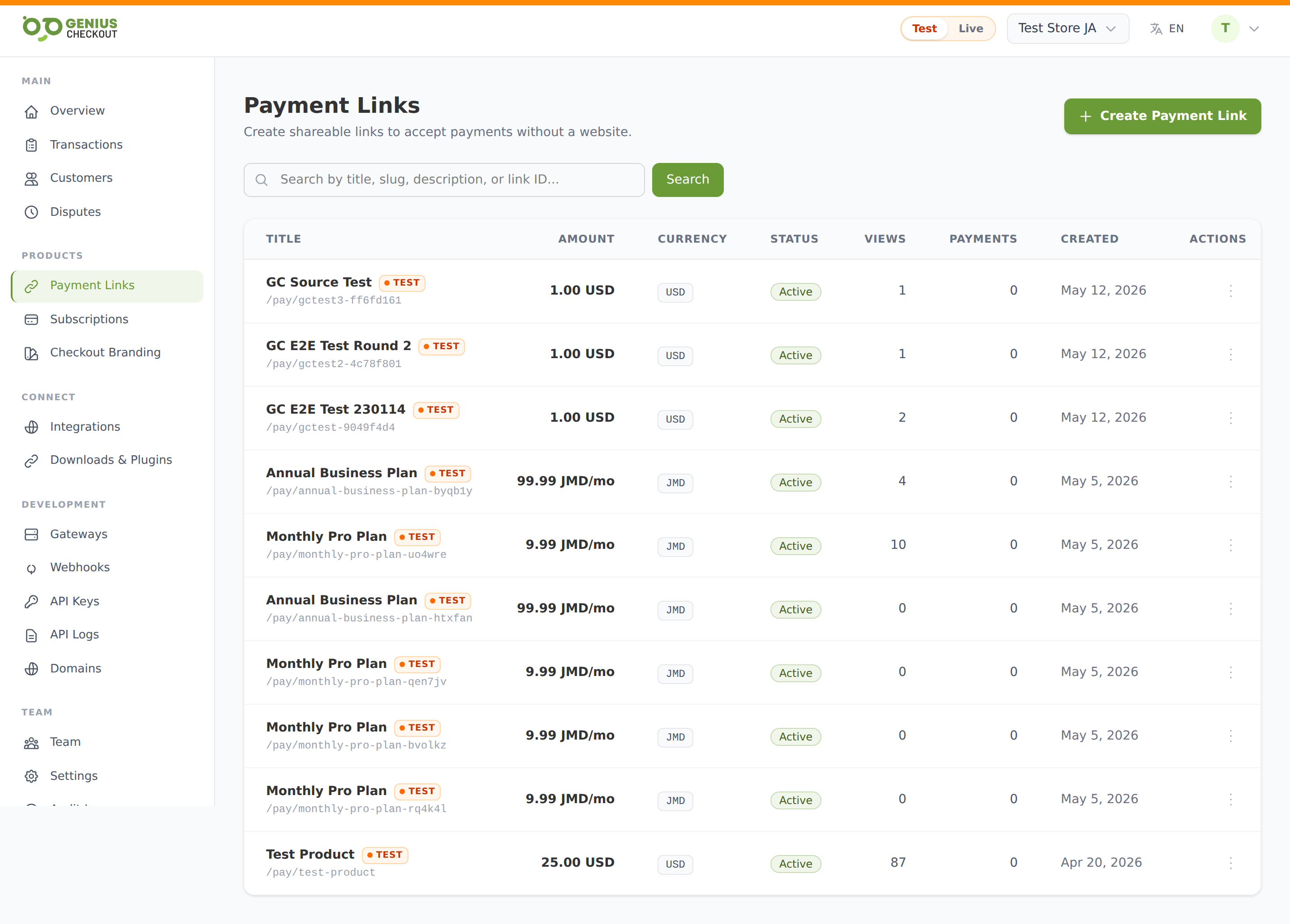
The list
Each row shows: title, mode badge, slug (/pay/<slug>), amount, currency, status, views, payments count, created date, and an actions menu.
The mode badge sits next to the title — green LIVE for live-money links, orange TEST for sandbox. The list is filtered to your portal's current mode pill, so live links and test links never get mixed together.
Statuses
| Status | What it means |
|---|---|
| Active | Public URL accepts payments. |
| Paused | URL still resolves but shows "Not accepting payments" — useful when you want to stop charging without losing the link. |
| Archived | URL returns a 404 to buyers. Link stays in your list for historical stats. |
| Draft | Created but never activated. Buyers see "Not accepting payments". Activate to publish. |
Amount types
Each link is one of three patterns — you pick at creation time.
| Type | Use it for |
|---|---|
| Fixed amount | Invoices, ticket sales, single-item purchases — you set the price. See One-Off Payment Link. |
| Customer-entered amount | Donations, tips, "pay what you want" — buyer types the amount, optionally bounded by min/max. See Customer-Entered Link. |
| Subscription | Recurring billing — monthly memberships, weekly box subscriptions, annual renewals. See Subscription Link. |
Search
Type two or more characters and press Enter (or click Search) to filter by title, external ID, slug, public description, or internal note. The mode filter (Test/Live) is always applied on top of search — switching the global mode pill re-scopes the list.
Row actions
Click the three-dot menu on any row to:
- View — open the detail page with stats, sessions, and the QR code
- Edit — change title, amount, custom fields, allowed currencies, success/failure URLs
- Copy URL — copy the public
/pay/<slug>URL to your clipboard - Download QR — generate the QR code in SVG, PNG, or PDF
- Pause / Activate — toggle whether buyers can pay
- Duplicate — clone the link with all settings copied
- Archive — take the URL offline (this is reversible from the archive list)
TIP
Archiving doesn't delete the link or its payment history — it just stops the public URL from resolving. You can always look at past stats and exported responses.